In this post I will show you how to reactivate Instagram account- whether you deactivated it yourself or it was wrongly disabled and deactivated by Instagram
How to reactivate Instagram account which you intentionally deactivated yourself
Like any other social media, Instagram is highly addictive and so chances are that you deactivated your account maybe because you felt like you are wasting your time, or maybe you wanted to focus in your studies etc. Reactivating an Instagram account which you deactivated yourself is relatively simple and the procedure is pretty straightforward-
1.Open the app or website.
2.Enter your username/email/phone number and password.
3.Tap Log in
Your account will be reactivated automatically and everything (posts, followers, messages) will be restored.
How to reactivated a disabled Instagram account
This is where things gets tricky. Unlike accounts which are deliberately deactivated by the owner, the reactivation process of accounts that are suspended/deactivated/disabled by Instagram are highly complicated and frankly speaking the chances of actually reactivating them again is quite low. This is due to many reasons which will be discussed below. That being said many people have successfully retrieve their accounts back which were suspended and even disabled by Instagram .
Why Instagram bans accounts and why people are upset about it
This may sound awfully obvious because on the surface, you may think Instagram simply suspend and disable accounts which violates their community guidelines and laws. While this is indeed true, it raises a question-” then why do users complain so much about their accounts getting banned if it was THEIR FAULT in the first place?”
The answer to that is quite simple: it is not that simple. You see, Meta (the company which owns Instagram) heavily use and rely on Automated Detection Systems, which basically is AI, to flag spam, fake accounts, or policy violations, and since it is AI, many times it makes mistake by flagging innocent accounts and suspend and disable them which frustrate users because they did nothing bad but their accounts , which for some contains their precious memories are brutally disabled
Why it is so hard reactivate a suspended or disabled account
As I have said before the process of retrieving accounts which were suspended or disabled is complex and sadly there is NO guarantee that you will actually reactivate your disabled Instagram account. This is usually due to the common reasons below-
1.AI driven decision:
Most bans are flagged automatically by Instagram’s AI. Since the decision wasn’t made by a human, getting it reversed usually requires going through layers of automated forms and appeals and usually the final decision is made by AI and since it is AI, it makes mistakes frequently
2.Lack of human support:
Instagram has billions of users but a very small human support team. This means most users never get direct help from an actual employee, making the process slow and frustrating. Though you can work around this by purchasing Meta Verify (which will be discussed later), the fact that you have to pay for even a simple appeal itself is already a serious concern
3.Vague Policies:
Instagram rarely explains exactly why an account was banned. Users often receive generic messages like “violated community guidelines,” without clear details, which makes it harder to appeal and adds more frustration to users
Types of Bans
Before you start the recovery process, first you have to understand the type of ban you’re account is under, there are two types of bans-
1.Suspended accounts
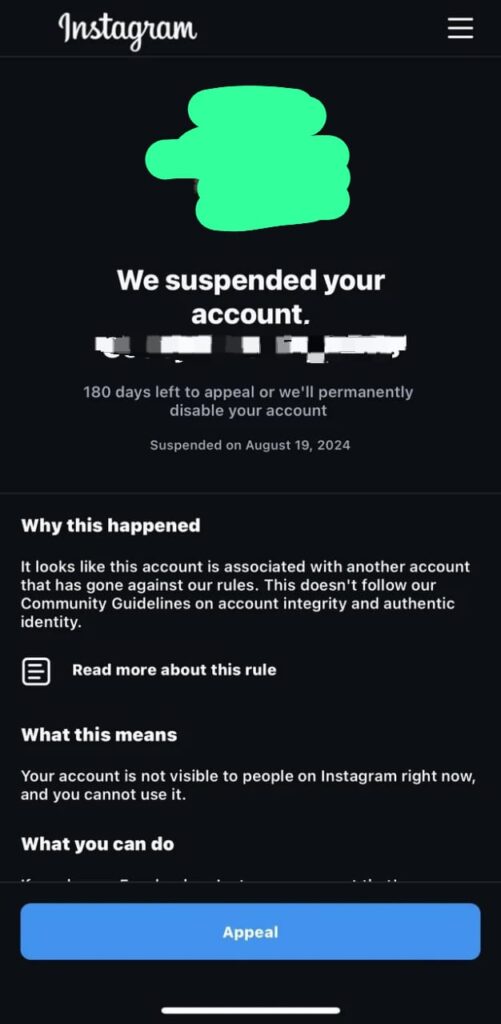
A suspended account is an account which Instagram AI flags for violating their guidelines and as a result, the account is locked and cannot be seen by others. When an account is suspended, Instagram gives an option to appeal within 180 days or else threatening to delete the account permanently
2.Disabled or permanently deleted accounts
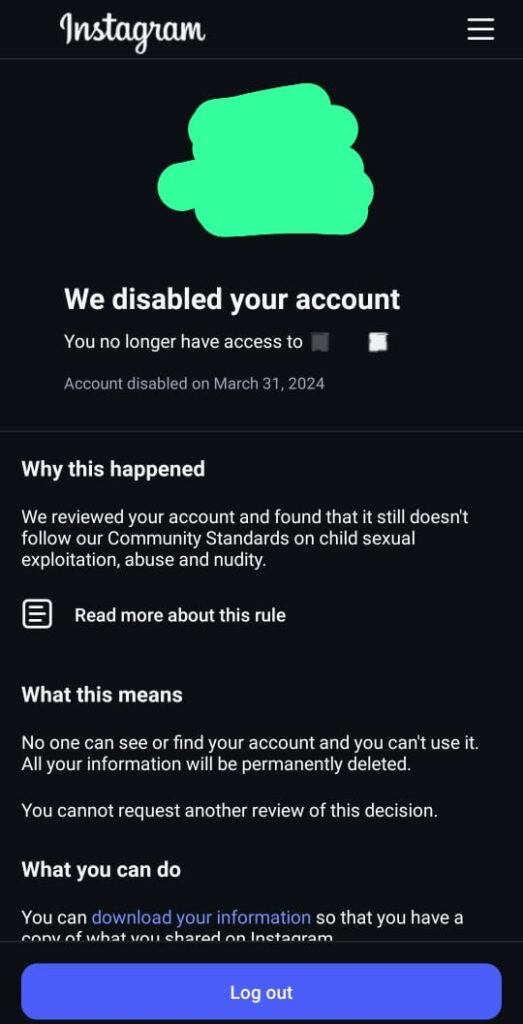
When you appeal an suspended account, Instagram will review your account and if they still finds it violating community guidelines even after rechecking, they’ll delete your account. These deleted accounts are called disabled or permanently deleted accounts.
Despite being literally called “permanently deleted”, recovery is still possible but it is usually harder and more complicated compared to suspended accounts
How to reactivate a suspended or disabled account?
Now to the most interesting part, how do you actually retrieve a suspended or disabled account? . I might have made it sound like all hope is lost, and while the process is frustrating and slow, there’s still glimmer of hope and in fact, everyday we get to hear new stories of people who got their accounts back after Instagram suspended or disabled their accounts
As I have mentioned earlier, there’s no guarantee you will actually get your account back, that being said here are some methods to reactivate which people have tried and often found success with it (note that success rate may slightly differ with suspended and disabled account)
Also, having tackled this issue for quite some time, I’ll also give my personal take on each method.
1.Appealing through the app
People have reported getting their accounts back by directing appealing through the app or through a browser using Instagram official appeal links. Though sadly, these links are only available for suspended and hacked accounts and there’s no official way to appeal for a permanently deleted or disabled account
Appeal link for hacked account: https://www.instagram.com/hacked/
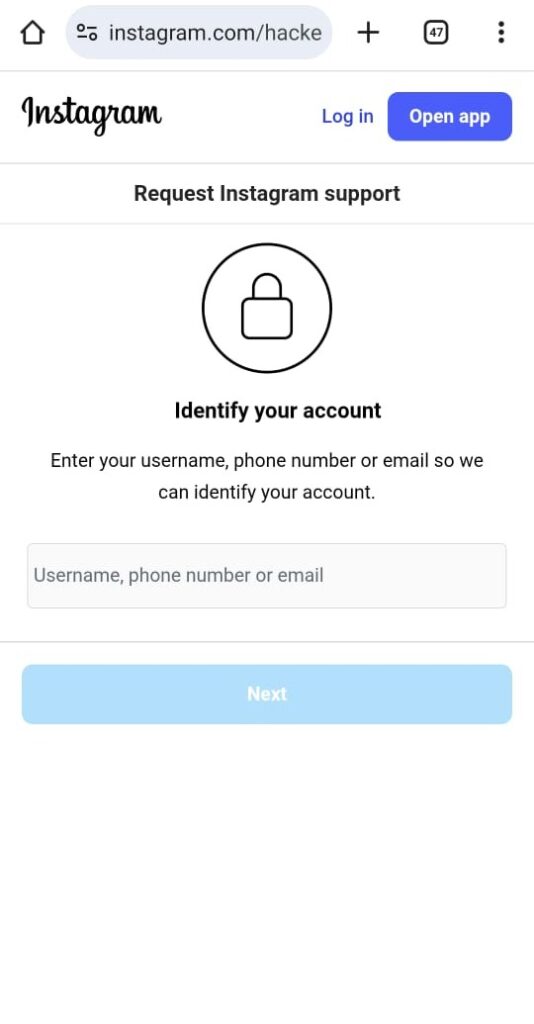
For a suspended account, to appeal just log in your account and follow instructions provided and there’ll be an appeal option (assuming your account is only suspended and not disabled)
My personal opinion: Frankly, this method feels highly luck-based and probably won’t work for most people. Sure some users claim they’ve recovered their accounts this way, but they’re a small minority compared to the many who report getting no response from Instagram. So there is no harm in trying but it will probably not work
2.Meta Verify method
This is one of the most common and possibly effective method right now. You see Meta offers a paid subscription called Meta Verified (available for Instagram and Facebook) that gives subscribers extra perks—including direct customer support which includes either email support or live chat. This allows you to directly contact a real human from Meta and so you can tell them about your problem.
This is one of the most used method right now and lots of people are getting back their accounts through this method. However this method, as effective as it may sound STILL does not guarantee you will recover your account back and you have to pay for it , prices ranging from $10-$15 per month depending on your location
How to Get Meta Verified & Contact Support
- Open Instagram or Facebook → Settings → Meta Verified
(or visit the Meta Verified page if you’re on desktop). - Subscribe & Pay
Pick a plan and add your payment info. - Verify Your Identity
Upload a government ID or selfie as instructed. - Wait for Approval
After Meta checks your info, you’ll see a blue verification badge. - Contact Support
Go to Settings → Meta Verified → Support and start a live chat or email with a Meta agent.
Note: You can’t always buy Meta Verified right away. Your account usually needs to be active or a bit older first. Very new or inactive accounts are placed on a waitlist, and there’s no set timeframe for when that wait ends, it can be a day, a week or even months or years.
I have tried this method myself and have learnt quite about what you should do and what you probably should not
Personal take and things I’ve learned-
- You should try as much as possible to stay polite and calm when talking to them
- You should have your account URL because they are going to ask for it to review your account. URL format looks like this instagram.com/username. This is crucial because people often just copy the URL of the login page of the account which is NOT the URL of the account
- Success also depends on the type of ban the account is under, for instance, an account banned due to spamming is way more likelier to be reactivated than an account banned due to CSE (Child Sexual Exploitation) or Illegal posting. Also, a suspended account is more likely to be retrieve than a disabled account.
- If the first support agent says they can’t help, try opening another ticket—another agent might be more helpful and able to restore your account. People often opens many tickets until they finally talk to that person who can actually help them.
- You might also threatened to sue them if they don’t restore your account. Personally I don’t like this but it has worked for some people.
- Though this is unofficial, if the account you are trying to restore was Meta Verified before it was banned, you might have a better chance.
- They usually work in this format, they greet you>ask you your problem>ask your account details. Then depending on the person and your account they might tell you right there that they can’t help you or they will send your case to their “specialized team” and telling you to wait for their respond.
- There is no specific timeframe on how long their specialized team will take to respond you, generally it usually takes 2-4 days , sometimes they never respond.
- If you indeed violated their community guidelines by either intentionally or by mistake, you can tell them clearly and apologize reassuring them it will not happen again. This can sometimes work depending on the person you are talking to
3. Filing a lawsuit
If your account was truly wrongly banned or hacked, this is by far the most effective method of retrieving it. The idea is that a formal legal notice or small-claims filing might pressure the company to review the case . For this to work you would need to pay quite a lot and ALSO you will need sufficient evidence to backup your claim.
However it is important to know that Legal action is a last-resort strategy and anyone considering it should consult a qualified attorney to understand their rights and options. That being said if you are truly ready to pay and wait and if your account was truly wrongfully banned, this method is the most effective
Pingback: How to read deleted Whatsapp messages (4 Easy tips) -