Learn how to read deleted WhatsApp messages safely and legally using notification history, backups, and trusted apps. Step-by-step guide for Android and iPhone.
Its just another ordinary summer night, you scroll through your phone looking at chats and all when your friend texted you on whatsapp, as usual you open the app to see the messages and that’s when you realised- he had deleted the messages. Maybe he sent something by accident, a video, a photo or an audio or maybe he accidentally sent some random text, the possibilities are endless. That’s when your curiosity kicks in and now you want to know what EXACTLY he sent
If you’ve ever been in that situation, you’re not alone. Millions of WhatsApp users wonder if it’s possible to read deleted messages — and the answer might surprise you. In this guide, we’ll explain what’s possible, what isn’t, and safe, legal ways to view those deleted messages on your own device
Types of deletion:
There are two types of deletions-
- “Delete for me”: These are messages which are deleted only for you- meaning only you cannot see them anymore and therefore others can see it
- “Delete for everyone”: These are messages which are deleted for everyone (including you) and therefore cannot be seen by anyone
How to read deleted whatsapp messages (possible ways)
1. Using notification history

As you can see on the above picture, my friend Dolly had sent me something on Whatsapp. However you can also see that she deleted her message making me unable to know what she sent. Little did she know there’s a smart workaround which allows you to see what she sent.
For this trick to work you have to turn on notification history in settings beforehand. Therefore this trick is not going to work if you dont have notification history turned on before the message you want to see was deleted.
If you had it turned on beforehand,
1) Open Settings app on your phone
2)Find and tap on “Notifications”
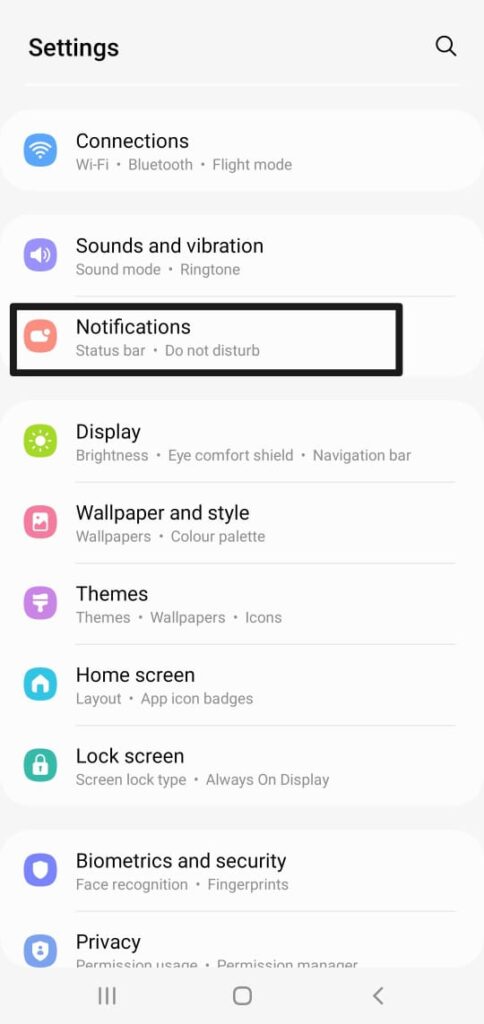
3)Inside Notifications scroll down and tap on “Advanced settings “
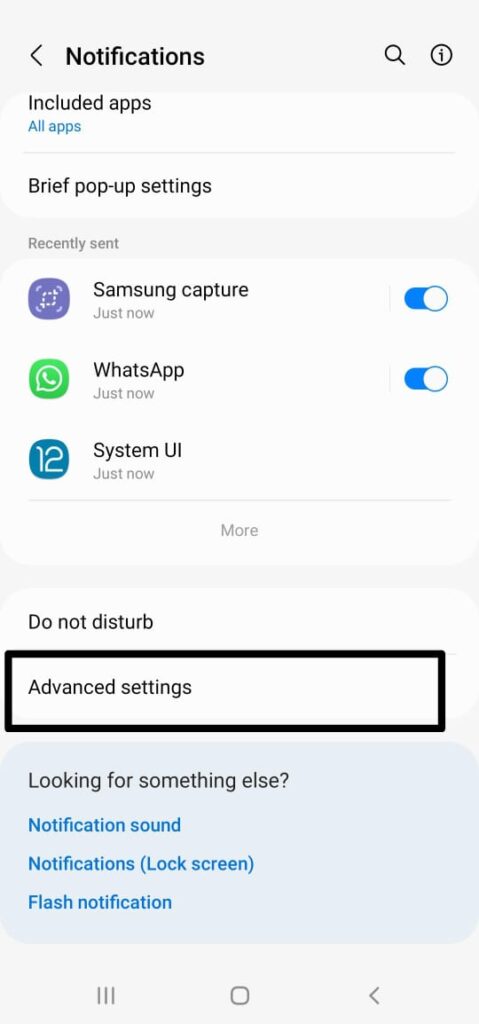
4)Inside advance settings find “Notification history”
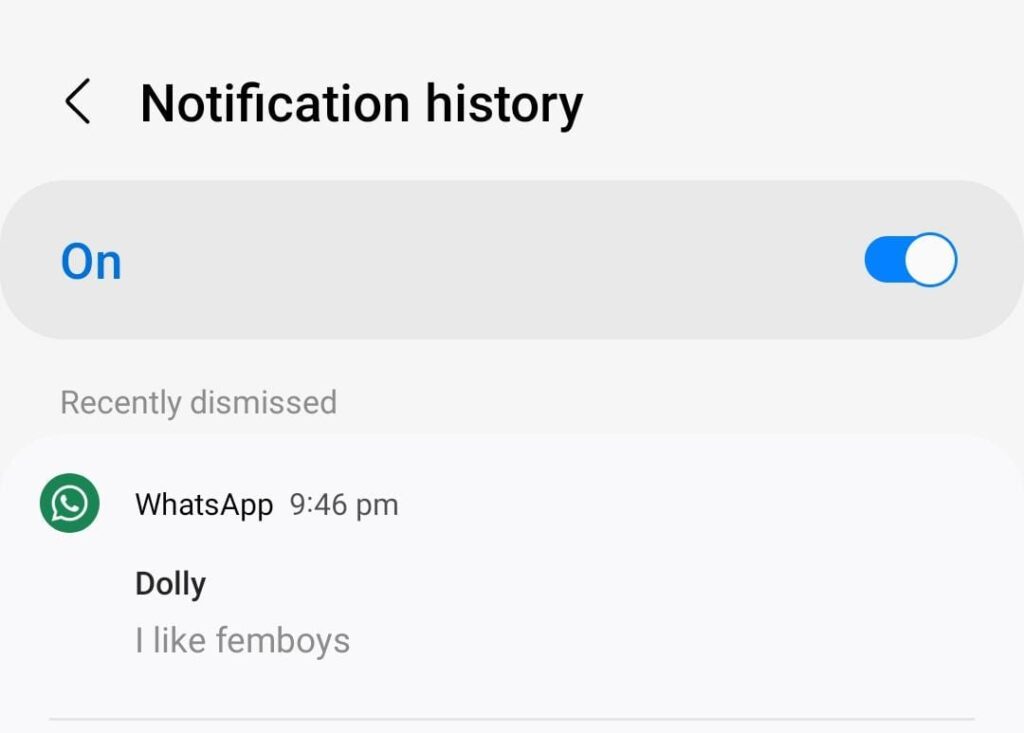
As you can see from the above screenshot, I can see exactly what Dolly had sent at 9:46 pm.
2.Restoring messages from a chats backup
WhatsApp by default automatically creates backups of your chats, either on your phone’s local storage (for Android users) or in the cloud through Google Drive or iCloud. If you have a backup that was created before the messages were deleted, you can restore it from the backup
You can check your last backup by opening WhatsApp, going to Settings → Chats → Chat backup
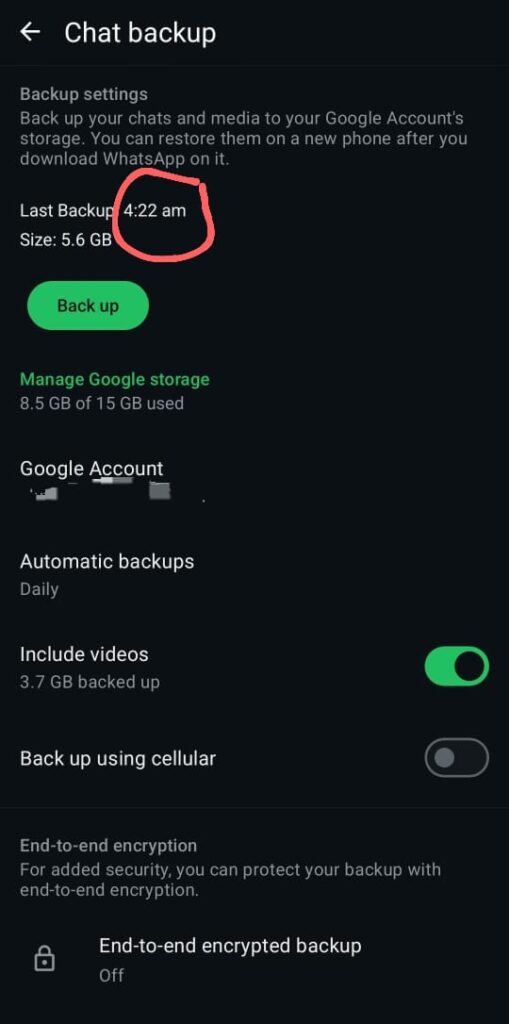
For instance, as you can see from the above screenshot my last was at 4:22 am, which means if someone deleted a message at, say, 5:00 AM, that message still exists in your 4:22 AM backup and can be recovered by reinstalling WhatsApp and restoring from that backup. But if it was deleted before 4:22 AM, then it won’t be in the backup and therefore cannot be recovered this way.
Step by step procedure for this method (assuming you have the required backup)
For android
i).Unistall Whatsapp from your device
ii).Reinstall it from Google Playstore
iii).Open it and verify your number
iv).Tap Restore Chat History when prompted
For ios (iphone)
The procedure for ios is basically the same but unlike android, iPhones use iCloud backups instead of Google Drive.
i).Unistall Whatsapp from your Iphone
ii).Reinstall it from App Store
iii).Open it and verify your number (it must be the same number linked to your iCloud backup).
iv).Tap Restore Chat History when prompted
3.Using WhatsApp Web / Linked Devices
You can sometimes view deleted messages on WhatsApp Web or other linked devices if the message was delivered and synced before it was deleted.
Procedure for this method-
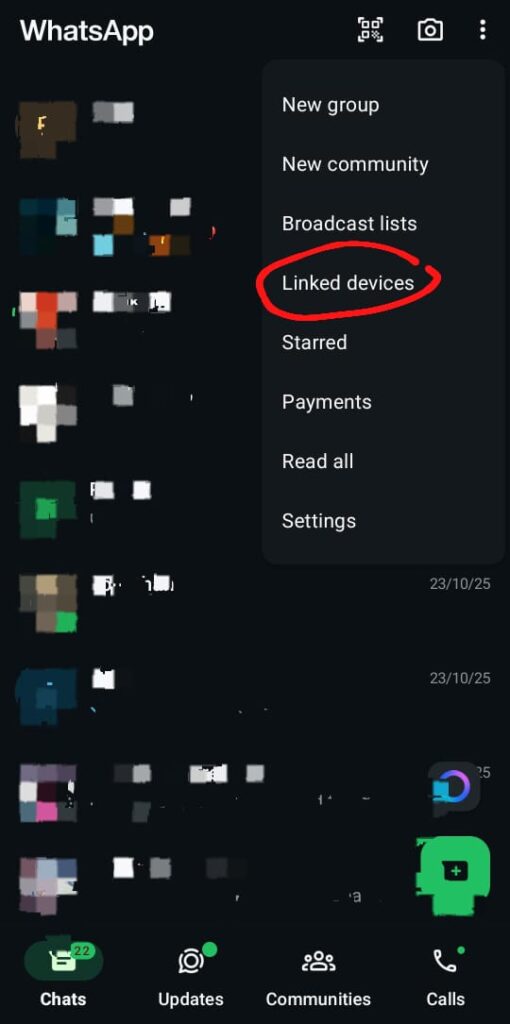
1.On your phone open WhatsApp → Settings → Linked Devices.
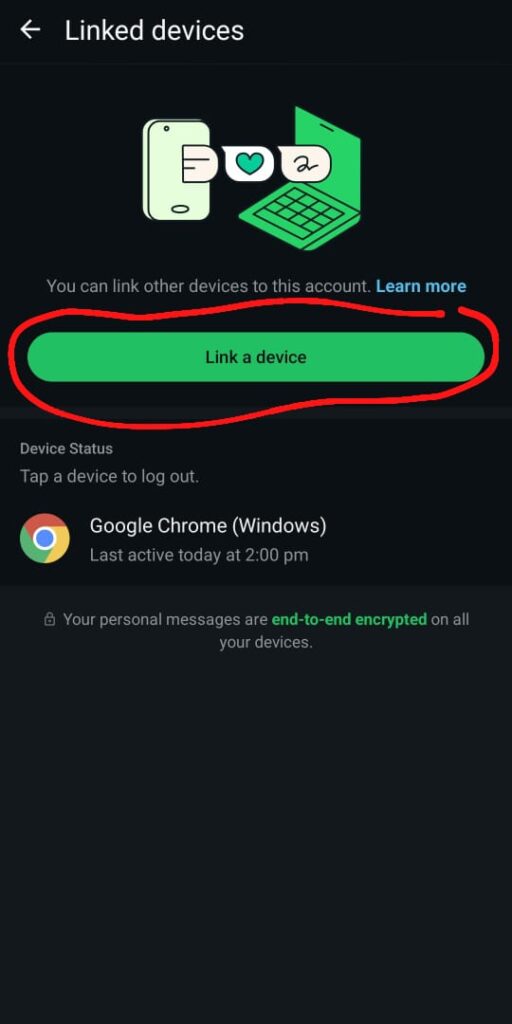
2.Tap Link a Device and follow any on-screen verification.
3.Once the session is active, messages will start loading
4.Go to the chat where the deleted message you want to see is located
5.As the chat loads, the deleted message will appear again, you would have to pay attention because it will get deleted again very fast
Keep in mind that this method isn’t guaranteed because WhatsApp Web and Linked Devices don’t store independent copies of your messages. They work purely as mirrors of your phone’s WhatsApp account.
4.Third-Party Apps: What You Should Know
There are several apps on Playstore which claims to be able to recover deleted Whatsapp messages. Now obviously I cannot speak for everyone but personally I believe you should NOT trust these apps. Why? You may ask, well there are two main reasons- number one is that they violates WhatsApp’s terms of service posing risks for account ban. While using these apps isn’t technically illegal, it’s definitely against WhatsApp’s policies and in extreme cases could even cross legal lines
Another reason, reason number two is security and privacy risks. For these apps to work they need to have acces to certain things on your device like storage,notification or even your contacts which can expose your personal data. Plus, they may stop working if WhatsApp or your phone updates its privacy settings so not only they are risky, they are also unreliable
That all being said if you are truly desperate to see that deleted message, so desperate to the point that you don’t care about security,privacy, malware risks, there might be some apps which might do the work but still make sure to approach it carefully and with skeptism
Red flags to look out for when looking for when using such apps-
- Asks for your WhatsApp verification code
- Requests root access or device admin privileges
- Poor reviews or No Official Developer Information
- Requests full storage + contacts permission
- Promises of “Full Message Recovery”
In short (TL;DR):
WhatsApp doesn’t officially let you view deleted messages — but your phone might still store notification previews.
You can enable Notification History in Android settings to see messages that were deleted later.
Restoring a WhatsApp backup can also bring back messages that existed before deletion.
Avoid sketchy third-party apps — they risk your privacy and may violate WhatsApp’s Terms of Service.
Turn on backups and notifications now to avoid missing messages in the future
💡 Also read: How to Reactivate Instagram Account