
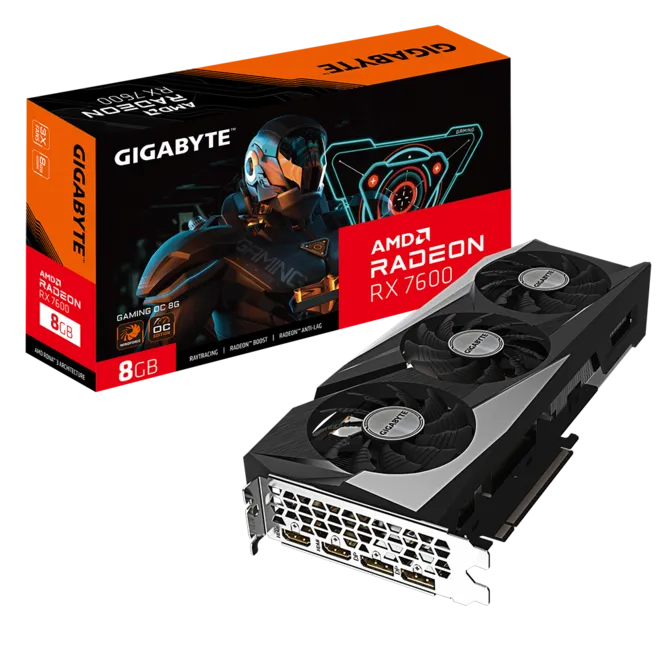
Is 8GB VRAM still enough? Our comprehensive RX 7600 review breaks down real 1080p benchmark numbers, power efficiency, and whether it’s still worth buying
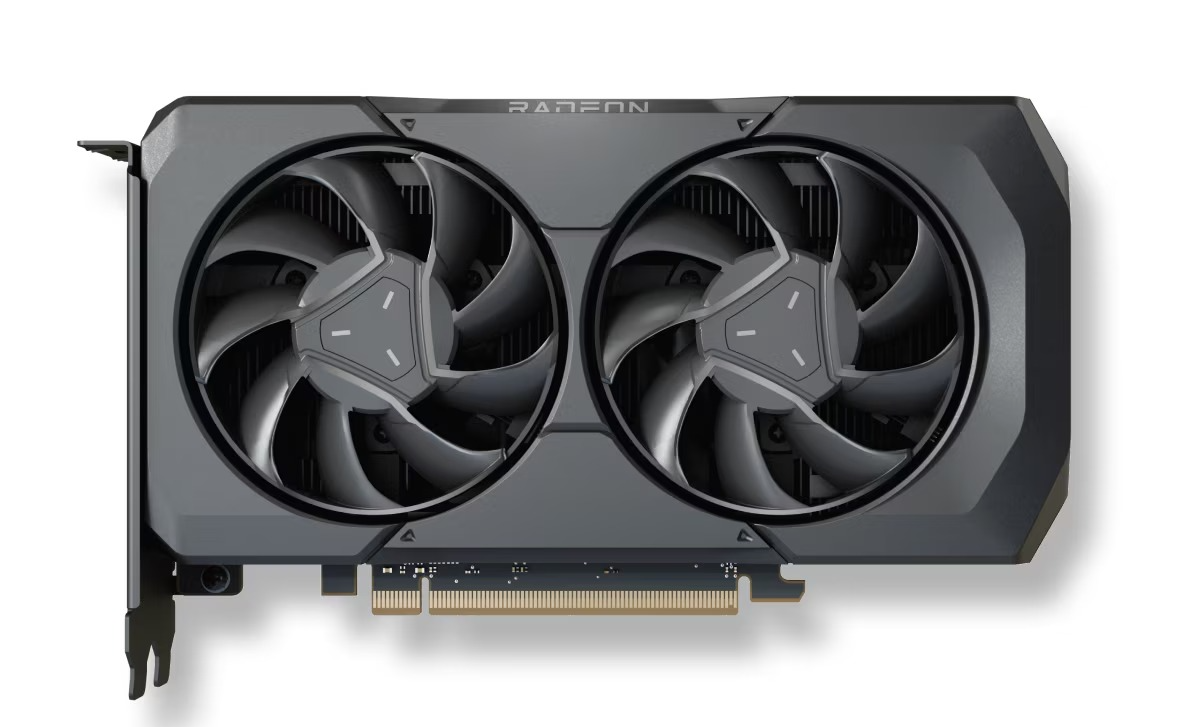
The RX 7600 launched back in 2023 and it immediately got many backlashes. The card itself wasnt terrible or anything, but its launch price was 269$ which many people considered it high considering its specs . AMD was asking quite alot for a GPU that only came with 8GB VRAM, and that immediately started arguments.
But prices dont stay the same forever.
A few years later, the RX 7600 is usually selling somewhere around $220-260, sometimes even lower if you catch a good deal. And thats where things gets interesting. The card didnt suddenly become faster or magically gain more VRAM either. It just got cheaper and for a budget GPU, that matters alot.
The reason people still care about the RX 7600 in 2026 is pretty obvious. It can still run modern games at 1080p very well, its easy to find, and it doesnt cost that much now.
The 8GB VRAM is still the biggest complaint, and if your planning to keep the card for many years that is something worth thinking about. But at todays prices, the RX 7600 makes alot more sense than it did back when it first launched.
Specs
| Spec | RX 7600 |
|---|---|
| Architecture | RDNA 3 |
| VRAM | 8GB GDDR6 |
| Memory Bus | 128-bit |
| Game Clock | 2250 MHz |
| Boost Clock | Up to 2655 MHz |
| Infinity Cache | 32MB |
| Ray Tracing | Yes |
| TBP | 165W |
| Release Year | 2023 |
| Launch Price | $269 |
Clock Speed
The RX 7600 boosts up to around 2.65 GHz, which still feels kinda ridiculous for a budget card. You dont really notice it looking at a spec table, but once you start looking at esports benchmarks, it makes more sense.
Games like Valorant, CS2, Rocket League, and Overwatch aren’t exactly hard to run, but they love high clocks. The RX 7600 can push some pretty silly framerates in those games without breaking a sweat.
Part of that comes from RDNA 3 itself. AMD redesigned the shader units so they can do more work every clock cycle than older Radeon cards. Most people buying an RX 7600 probably dont care about any of that though. They just care that the FPS counter keeps going up.
For a GPU thats a few years old now, the card still feels surprisingly quick in competitive games.
Memory
The 8GB VRAM is still the thing that follows this card everywhere. Mention RX 7600 online and somebody is probably gonna bring it up. In most games, the card isnt even sitting there struggling for memory. Then you install something like Hogwarts Legacy and suddenly the discussion makes more sense.
Ultra textures are where things starts getting awkward. The card can still run the game fine, but 8GB doesnt leave much room anymore. A few years ago it felt acceptable. In 2026 it feels more like the bare minimum.
The 128-bit bus got dragged into the argument too. Looking at the spec sheet, it sounds worse than it actually is. AMD stuck 32MB of Infinity Cache on the card, so at 1080p it doesnt need to keep going back to memory as often as people assume.
The bus width never bothered me much. The VRAM is the thing I keep coming back to. You can work around a narrow bus. Running out of memory is alot harder to ignore.
Raytracing
The RX 7600 supports ray tracing, but I dont think many people are buying this card specifically for that.
To be fair, its alot better than older Radeon cards. The jump from RDNA 2 to RDNA 3 was pretty noticeable, and lighter ray tracing effects in games like Resident Evil 4, GTA V, or Spider-Man Remastered are usually manageable without destroying performance.
The problem starts when games get a little too ambitious. Cyberpunk 2077, Alan Wake 2, Black Myth: Wukong, those games can humble the RX 7600 pretty quickly once heavier ray tracing settings start getting involved.
Part of it comes down to the hardware itself. RDNA 3 improved ray traversal and intersection performance and yes the card can absolutely do ray tracing but I just wouldnt build my entire buying decision around it. Most RX 7600 owners are probably gonna have a better time treating ray tracing as an occasional bonus rather than the main attraction.
For normal 1080p gaming, the card still makes alot more sense as a rasterization-focused GPU. Thats where most of its performance comes from anyway.
PSU & CPU Pairing
One thing the RX 7600 doesnt get enough credit for is power efficiency. The card only draws around 165W under gaming loads, which is pretty reasonable even by today’s standards, and you dont need some huge power supply to run it. AMD recommends a 550W PSU, and thats enough for most gaming PCs. If you’re building a new system though, a decent 650W unit gives you a little more room for future upgrades.
CPU pairing is pretty straightforward too. Something like a Ryzen 5 5600, Ryzen 5 7600, Core i5-12400F, or Core i5-13400F is already more than enough for this card. Spending crazy money on a high-end processor just to pair it with an RX 7600 doesnt make much sense.
Thats actually one reason the card stayed popular for budget builds. You dont need an expensive motherboard, a giant cooler, or a massive PSU to get the most out of it. Throw it into a reasonably balanced system and you’re good to go.
The relatively low power draw helps temperatures too, alot of the cheaper dual-fan models stay fairly quiet during gaming, which isnt always something you can say about older mid-range GPUs.
Pricing
The RX 7600 launched at $269, and thats honestly where most of the complaints came from. The performance was decent, but alot of people expected more from an 8GB card at that price.
Things look alot different now.
Most RX 7600 models sell for around $250-280, with used cards often going for even less. Thats the biggest reason people still talk about this GPU in 2026. The hardware didnt change, the price did. And at today’s prices, the RX 7600 makes alot more sense than it did at launch.
1080p Gaming
This is really the reason the RX 7600 exists.
Nobody was buying this card for 4K gaming. Nobody was buying it because of ray tracing either. AMD built this thing for 1080p, and even in 2026 thats still where it feels most comfortable.
The funny part is the GPU itself isnt really the problem. The 8GB VRAM gets all the criticism, but the actual chip still has plenty of speed left in it. In alot of games the card can push way more FPS than most people actually need.
Games like Valorant, CS2, Rocket League, Rainbow Six Siege, and Overwatch barely make the RX 7600 break a sweat. Pair it with a decent CPU and you’ll hit frame rates high enough that your monitor becomes the bottleneck instead.
(The numbers below represent average FPS at 1080p using High or Ultra settings, depending on the game. Different CPUs, game updates, driver versions, and graphics settings can all affect performance.)
| Game | RX 7600 |
|---|---|
| Valorant | 350-500 FPS |
| CS2 | 220-320 FPS |
| Rocket League | 280-400 FPS |
| Rainbow Six Siege | 250-350 FPS |
| Overwatch 2 | 180-250 FPS |
| Fortnite (Epic) | 100-140 FPS |
| Cyberpunk 2077 | 75-95 FPS |
| Hogwarts Legacy | 70-90 FPS |
| Red Dead Redemption 2 | 85-110 FPS |
| Forza Horizon 5 | 100-130 FPS |
| Starfield | 60-80 FPS |
| Spider-Man Remastered | 85-110 FPS |
Esports titles are heavily CPU dependent and may perform significantly better with faster processors.
The card still holds up surprisingly well in newer AAA games too. Cyberpunk, Spider-Man, Forza Horizon 5, Red Dead Redemption 2, none of those are a problem at 1080p. You dont have to spend half your time messing with settings just to get playable performance.
The place where you start noticing the card’s age isnt really raw GPU power. Its memory. Some newer games are starting to ask for more than 8GB, especially if you’re the type of person who immediately cranks textures to Ultra because the option exists.
Thats probably the weird thing about the RX 7600. The GPU itself still feels fast. The VRAM is what keeps showing up in conversations. If AMD had shipped this card with 12GB, I honestly think people would talk about it very differently today.
Also read: Best GPUs for 1080p gaming in 2026
1440p Gaming
The RX 7600 can do 1440p gaming but its not really ideal. In lighter games and older AAA titles, the card actually holds up pretty well. Games like Forza Horizon 5, Red Dead Redemption 2, and Resident Evil 4 are still very playable at 1440p with high settings.
| Game | RX 7600 |
|---|---|
| Forza Horizon 5 | 75-95 FPS |
| Red Dead Redemption 2 | 65-85 FPS |
| Resident Evil 4 | 70-90 FPS |
| Spider-Man Remastered | 65-85 FPS |
| Cyberpunk 2077 | 50-65 FPS |
| Hogwarts Legacy | 45-60 FPS |
| Starfield | 40-55 FPS |
The GPU itself actually handles 1440p better than some people think. The bigger problem is the 8GB VRAM. At 1080p you can usually get away with it. At 1440p, especially with higher texture settings and ultra settings enabled, and when the game allocates more than 8GB VRAM, it starts becoming harder to ignore.
Thats why I still see the RX 7600 as a 1080p card first. You can absolutely play at 1440p, but you’ll end up lowering settings more often than you would on newer cards with larger memory buffers.
For occasional 1440p gaming, the RX 7600 gets the job done. If 1440p is your main target though, I’d probably look at something with a little more VRAM.
Also read: Best 1440p GPUs for Gaming in 2026
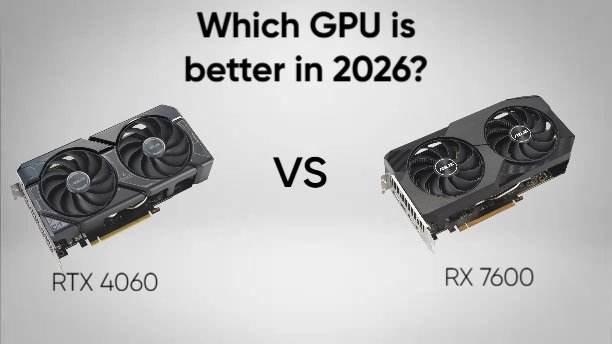
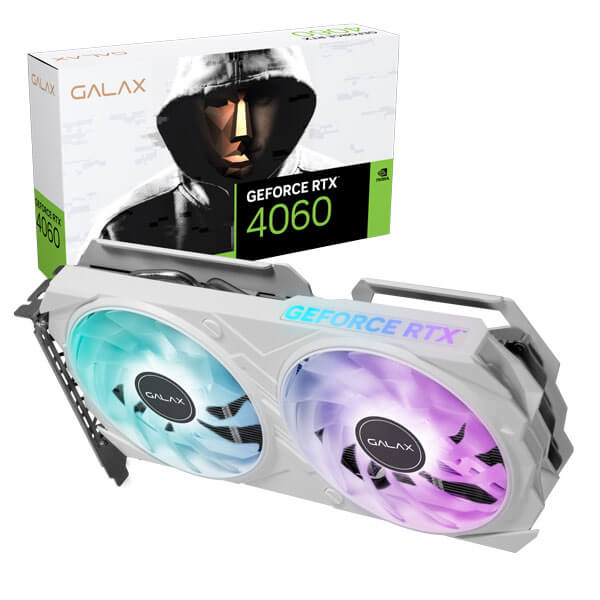
RX 7600 vs RTX 4060
This comparison is alot closer than people sometimes make it sound.
Unlike newer battles like RX 9060 XT vs RTX 5060, neither side has some huge VRAM advantage here. Both cards come with 8GB of memory, both target 1080p gaming, and both got criticized for that exact reason.
| Game | RX 7600 | RTX 4060 |
|---|---|---|
| Cyberpunk 2077 | 75-95 FPS | 70-90 FPS |
| Forza Horizon 5 | 100-130 FPS | 95-125 FPS |
| Starfield | 60-80 FPS | 55-75 FPS |
| Hogwarts Legacy | 70-90 FPS | 65-85 FPS |
| Red Dead Redemption 2 | 85-110 FPS | 80-105 FPS |
| Spider-Man Remastered | 85-110 FPS | 80-105 FPS |
| Assassin’s Creed Mirage | 90-120 FPS | 85-115 FPS |
| Resident Evil 4 | 80-100 FPS | 75-95 FPS |
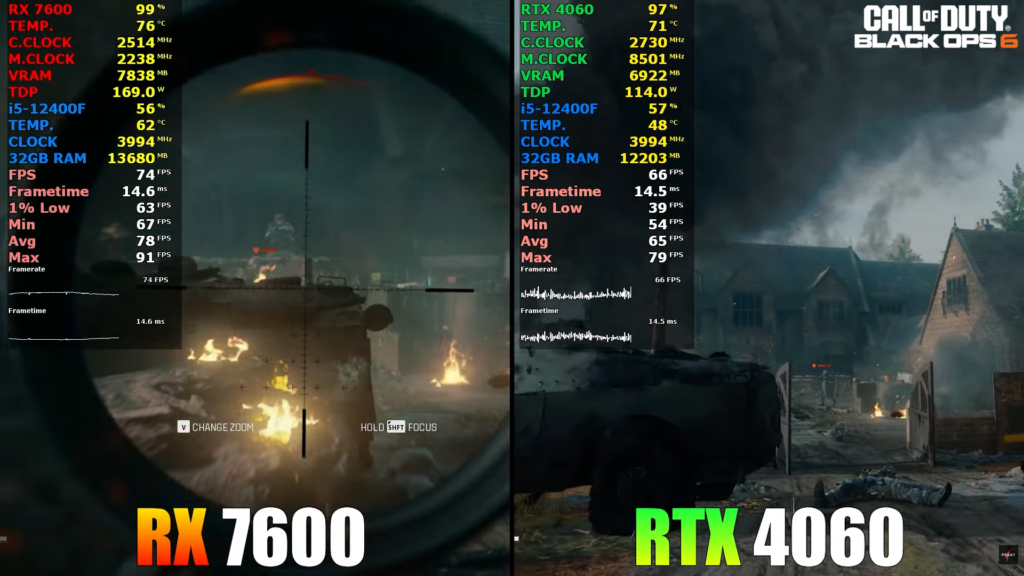
Image source: Pc Support & Gaming Test Youtube
Looking at pure raster performance, the RX 7600 usually comes out slightly ahead. Not by some huge amount, but enough that AMD often wins more benchmark charts than it loses.
That doesnt mean the RTX 4060 is slower everywhere though. Some games have always seemed to prefer Nvidia hardware. Titles like Total War: Warhammer 3 and Far Cry 6 can actually swing the other direction, with the RTX 4060 holding a noticeable lead despite ray tracing being disabled. Newer Unreal Engine 5 games can be similar. The difference isnt always massive, but Nvidia’s frame pacing and overall consistency can be a little better in certain engines.
Ray tracing is where the gap gets alot bigger. The RX 7600 can do ray tracing, but the RTX 4060 is operating in a completely different league once heavier ray tracing get involved. Games like Cyberpunk 2077, Alan Wake 2, and Minecraft RTX can heavily favor Nvidia’s Ada Lovelace architecture. In some situations the RTX 4060 ends up 30% faster or more, and path tracing is pretty much off the table for the RX 7600.
As you can below, Silent Hill 2 is one of those games where the RTX 4060 performs noticeably better than the RX 7600 despite the Radeon card usually being faster in traditional rasterization benchmarks. The game is built on Unreal Engine 5 and makes heavy use of features like Lumen lighting, which tend to favor Nvidia’s architecture
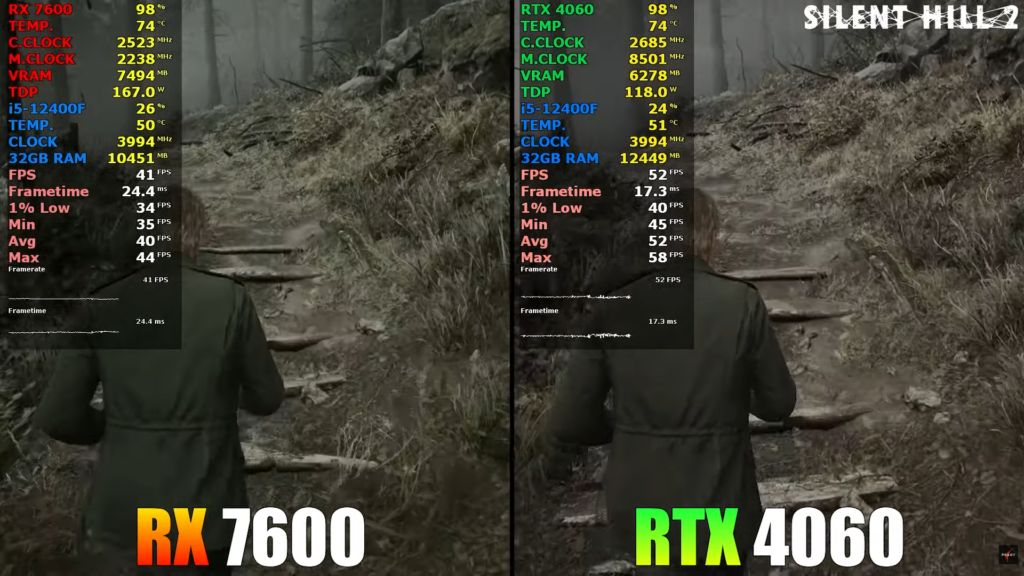
Image source: Pc Support & Gaming Test Youtube
AMD’s software stack got alot better over time though. The RX 7600 supports FSR 3, AFMF, and HYPR-RX, which means frame generation is available in far more games than many people realize. DLSS still looks cleaner overall, but AMD closed the gap more than alot of people expected.
Power efficiency is another easy win for Nvidia. The RTX 4060 draws roughly 115W, while the RX 7600 sits closer to 165W. Thats a surprisingly large difference for cards in the same performance class.
Then theres pricing, the RX 7600 is usually cheaper and thats probably why people keep recommending it. If all you care about is getting the most FPS possible for your money, AMD’s card is hard to argue against. If ray tracing, DLSS, lower power draw, streaming, and Nvidia’s software ecosystem matter to you, the RTX 4060 starts making alot more sense.
The funny part is that both cards ended up sharing the same weakness. A few years later, people are still arguing about the 8GB VRAM more than anything else.
Who Should Buy the RX 7600?
The RX 7600 still makes a lot of sense if you’re a 1080p gamer and don’t see yourself moving to 1440p anytime soon. It’s also one of the easiest upgrades to recommend for someone coming from a GTX 1660, RTX 2060, RX 5600 XT, or RX 6600. The jump isn’t subtle—you’ll notice it the first time you launch a game.
I also think this card fits a certain type of player really well. If most of your time goes into Valorant, Counter-Strike 2, Rocket League, Fortnite, Apex Legends, or similar games, the RX 7600 has more than enough performance to keep up. Pair it with a high refresh rate monitor and it’ll spend most of its life pushing triple-digit frame rates.
The other reason people buy this card is simple: price. When the RX 7600 goes on sale, it becomes very difficult to ignore. If you’re building on a budget and care more about FPS than premium features, it’s still one of the stronger options available.
Who Should Avoid the RX 7600?
I wouldn’t buy the RX 7600 specifically for 1440p gaming. It can do it, but that’s not really where the card feels most comfortable.
I’d also look elsewhere if ray tracing is high on your priority list. AMD has improved over the years, but once you start enabling heavier ray tracing effects, Nvidia still has the advantage.
The same goes for people who spend more time streaming, editing videos, rendering projects, or experimenting with AI tools than actually gaming. The RX 7600 is built for gamers first.
And if you’re the type of person who buys a GPU and expects to run every new release at Ultra settings for the next five years, I’d probably save up for something stronger. The biggest limitation isn’t performance—it’s the 8GB VRAM. If a newer 12GB or 16GB card fits your budget, that’s where I’d be looking.
Final Verdict
I think the RX 7600 ended up becoming the card alot of people wanted it to be in the first place.
Not because AMD improved it, not because of some game-changing driver update but because it got cheaper.
Looking at the card today, the strengths are pretty obvious. 1080p performance is still excellent, esports games run ridiculously well, power consumption is reasonable, and the overall system requirements are pretty forgiving. You dont need a monster CPU or an expensive build to get good results out of it.
The weakness is obvious too, Its always the 8GB VRAM. The actual GPU still has enough horsepower for modern games. Thats never been the part I worried about. Its the memory limit that keeps showing up whenever newer AAA games get discussed.
Thats what makes the RX 7600 a little frustrating. Theres a genuinely good budget GPU sitting underneath that 8GB buffer.
Still, if you’re shopping in this price range and mostly care about 1080p gaming, I’d have a hard time calling it a bad purchase. The card knows what its good at, and most of the time it sticks to that job pretty well.
FAQ
Is the RX 7600 still worth buying in 2026?
Yes, especially if you can find it at a good price. The card delivers strong 1080p gaming performance and has become much easier to recommend now that it sells for significantly less than its original launch MSRP.
Is 8GB VRAM enough for gaming?
For most 1080p games, yes. Esports titles and many AAA games still run perfectly fine with 8GB. The concern is more about the future, as newer games continue to demand more memory, particularly at higher texture settings.
Is the RX 7600 good for 1440p gaming?
It can handle 1440p, but thats not really where the card feels most comfortable. The GPU itself is capable enough, but the 8GB VRAM starts becoming a bigger limitation as resolution and texture quality increase.
RX 7600 vs RTX 4060: Which is better?
The RX 7600 usually offers slightly better raster performance and better value for money. The RTX 4060 has stronger ray tracing, lower power consumption, DLSS 3 support, and a more mature creator ecosystem. The better choice depends on what you prioritize.
Is the RX 7600 good for streaming and content creation?
Its better than alot of people think. The card supports AV1 encoding, which is great for streaming and video uploads. That said, Nvidia still has an advantage in applications that rely heavily on CUDA, NVENC, AI acceleration, or professional creator software.
What PSU do I need for an RX 7600?
AMD recommends a 550W power supply, and thats enough for most systems. If you’re building a new PC, a quality 650W PSU is usually a safer long-term choice and gives you a little extra upgrade headroom.
What CPUs pair well with the RX 7600?
Popular pairings include the Ryzen 5 5600, Ryzen 5 7600, Core i5-12400F, and Core i5-13400F. You dont need a high-end processor to get the most out of this card, especially if you’re gaming at 1080p.
Also read
Samsung 990 Pro SSD review 2026
Logitech Superlight G Pro X Review
RTX 5070 vs RTX 4070: Should you upgrade?
RTX 4070 Ti SUPER vs RTX 5070: Which offers better value?
RTX 5070 ti vs RTX 5070: Worth the Extra Money?
RTX 5060 vs RTX 4060: Is it worth the upgrade?
RTX 5060 ti vs RX 9060 XT: Is NVIDIA worth paying $100 more?
RTX 4060 vs RX 7600: Which is the better buy in 2026?
Best GPUs for 1080p gaming in 2026
RTX 5060 Review: Is 8gb VRAM still enough in 2026?
Intel Arc B580 vs RTX 5060: Don’t buy until you read this
Is the RTX 5060 Ti good for 1440p gaming
Is RTX 4060 still good in 2026
RTX 4070 review: Is it worth buying in 2026?
RX 9060 XT Review: The Best GPU for 1080p Gaming Right Now?
RTX 5060 vs RX 9060 XT: Which is the best 1080p GPU
RX 9070 review: Is it REALLY worth your money?
RX 9070 XT Review: Is it really future proof?
Best 1440p GPUs for Gaming in 2026
RTX 5070 review: The best 1440p GPU in 2026?
As an Amazon Associate I earn from qualifying purchases

Leave a Reply