
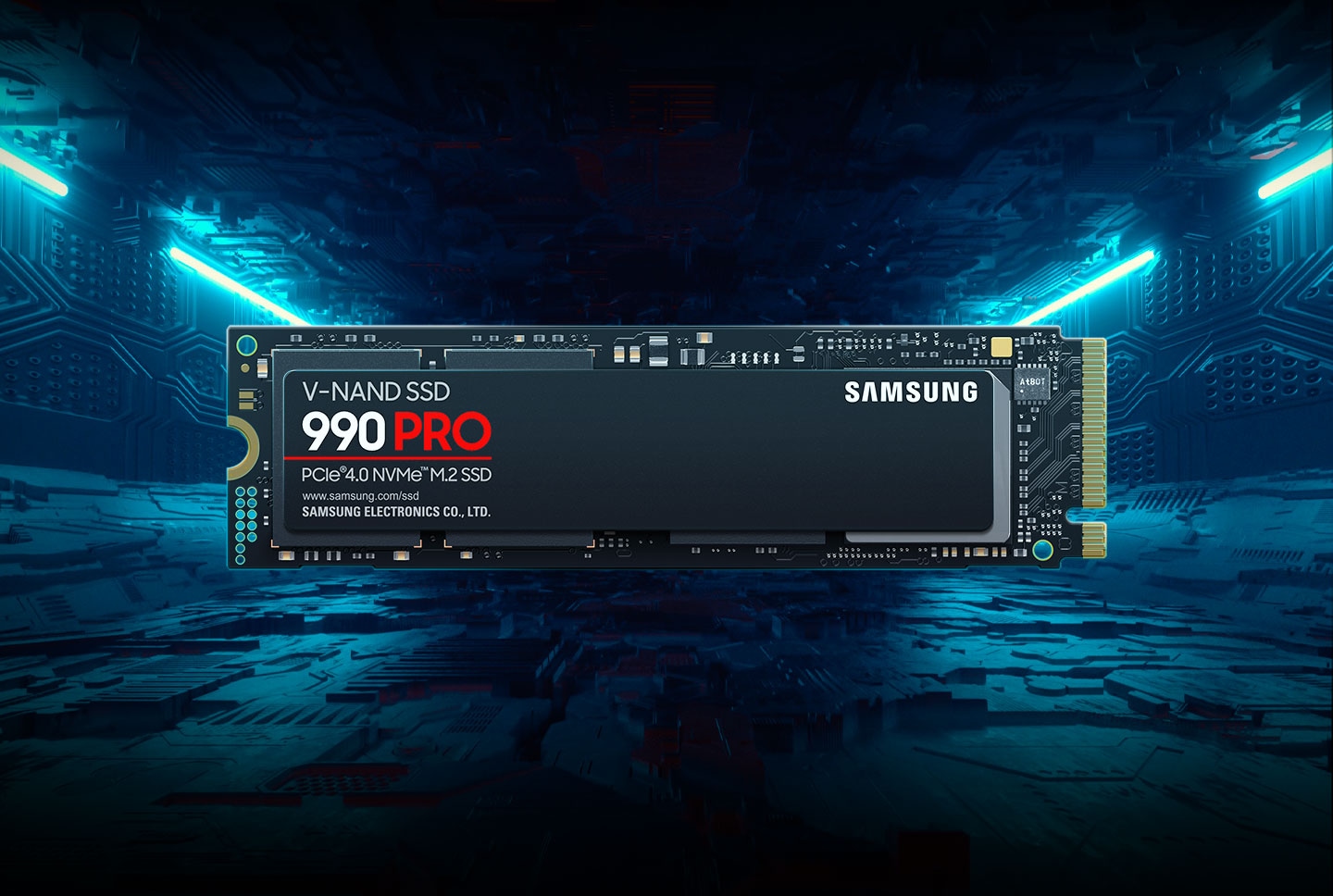
In this post we will be talking about the Samsung 990 pro SSD, its specifications, real world perfomance along with its pros and cons
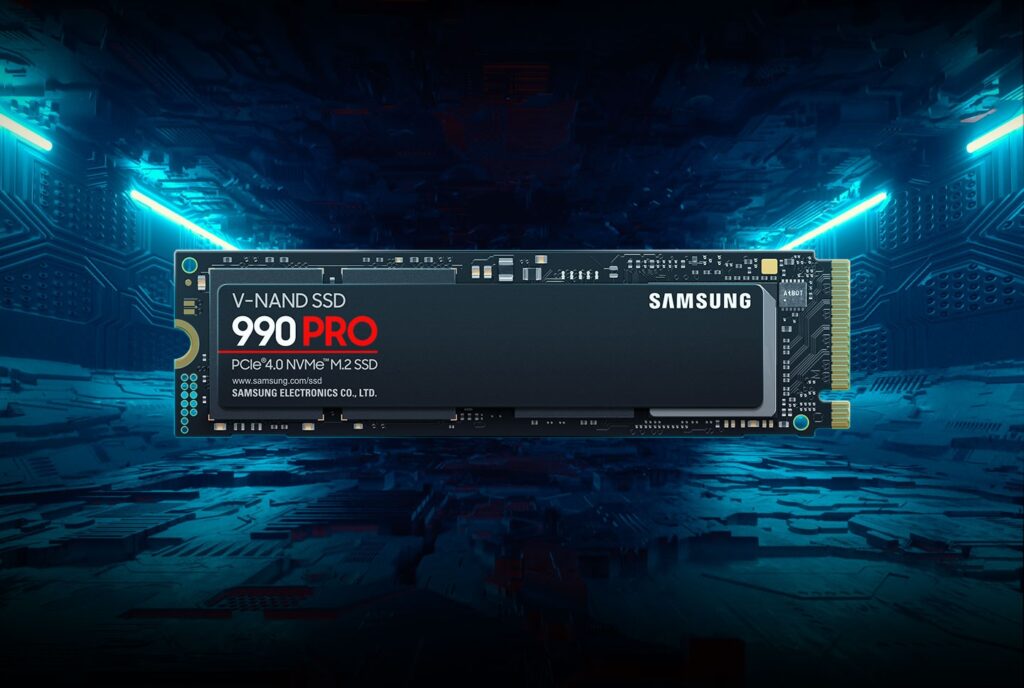
The Samsung 990 Pro SSD
Choosing the right SSD can make a noticeable difference in how fast your pc feels, from boot times to game loading screens. The Samsung 990 Pro SSD is one of Samsung’s flagship PCIe 4.0 drives, aimed at users who want high performance without jumping to the newer and more expensive PCIe 5.0 standard
General specifications
The Samsung 990 Pro SSD is a high-performance NVMe solid-state drive designed for enthusiasts, gamers, and creative professionals who demand fast storage without compromise. It uses the PCIe 4.0 x4 interface and the latest in Samsung’s storage technology to deliver significantly improved read and write speeds compared to older generations. The drive is available in multiple capacities — commonly 1TB and 2TB — and features Samsung’s latest controller and V-NAND memory for enhanced performance and efficiency.
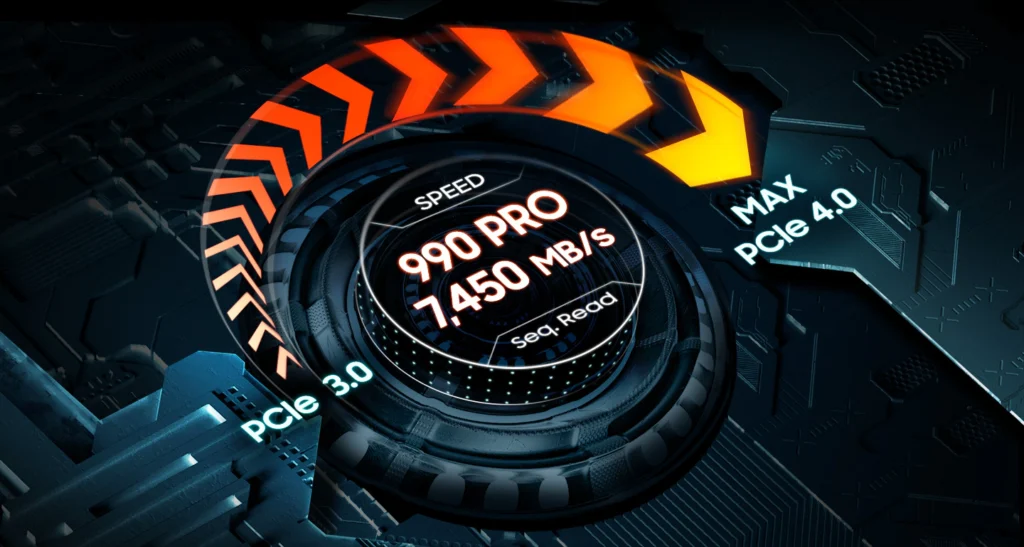
With sequential read speeds of up to ~7,450 MB/s and sequential write speeds of up to ~6,900 MB/s (actual speeds may vary by capacity and system configuration), the 990 Pro is suited for tasks ranging from rapid file transfers to heavy workloads like 4K video editing and gaming. The drive also supports advanced thermal control technologies to help maintain stable performance under sustained load. Backed by a 5-year limited warranty, it’s positioned as one of Samsung’s top-tier consumer SSDs.
- Interface: PCIe 4.0 x4 NVMe
- Capacities: 1TB, 2TB (varies by market)
- Sequential Read Speed: Up to ~7,450 MB/s
- Sequential Write Speed: Up to ~6,900 MB/s
- NAND Type: Samsung V-NAND
- Controller: Samsung’s latest Gen 4 SSD controller
- Form Factor: M.2 2280
- Thermal Management: Dynamic Thermal Guard / heatsink compatibility
- Warranty: 5-year limited
Design and build
The Samsung 990 Pro feels exactly like what you’d expect from a high-end internal SSD: small, light, and very well put together. There’s nothing flashy about it — no unnecessary design tricks — just a clean PCB with Samsung’s label on top
In terms of design, Samsung clearly prioritized practicality. The label on top isn’t just branding — it doubles as a heat spreader, which shows the kind of thoughtful engineering Samsung is known for. It’s the standard 2280 size, so it fits easily into desktops, laptops, and even consoles like the PS5. If you go for the heatsink version, it feels more premium in hand thanks to the metal casing, but even the non-heatsink model feels properly built and confidence-inspiring.
Build
Where the 990 Pro really shines is in its build quality under the hood. Samsung uses its own controller and NAND, and you can tell this drive was carefully engineered rather than rushed out just to win benchmark charts. Everything feels refined. It’s designed to run fast all the time, not just for short bursts, and that gives a lot of peace of mind if you’re using it daily
Yes, it does get warm if you’re moving a lot of data at once, but that’s normal for high-end PCIe Gen4 SSDs. With my motherboard’s heatsink, temperatures stayed under control, and I never noticed throttling in normal use. It feels like Samsung tuned this drive to be fast and safe rather than chasing extreme numbers at the cost of stability
Installment and setup
Installing the Samsung 990 PRO is about as easy as SSD installation gets, as long as your system supports M.2 NVMe drives. There’s no cable management, no mounting brackets, and no power connectors to worry about. You slot it in, screw it down, and you’re basically done. The whole process takes a few minutes, even if you’re not particularly experienced with PC hardware
On a desktop PC, installation is almost effortless. Most modern motherboards clearly label their M.2 slots, and many even include built-in heatsinks. You just remove the heatsink (if there is one), slide the 990 Pro into the slot at a slight angle, press it down, and secure it with the screw. Add the heatsink back on, and that’s it.
In a laptop, it’s still simple, but slightly more delicate. You’ll need to remove the bottom panel, which can take a bit of patience depending on the laptop model. Once inside, the M.2 slot is usually easy to access, and the actual installation is identical to a desktop. The main thing here is being gentle and making sure your laptop actually supports PCIe Gen4 speeds — otherwise, the drive will still work, just not at its full potential
For the PS5, installation is surprisingly straightforward and very beginner-friendly. Open the side panel, remove a few screws, slide the drive in, secure it, and close everything back up. The PS5 will guide you through formatting the drive once you boot it up, so there’s no guesswork involved
Real-World Performance
In everyday use, the Samsung 990 PRO feels exactly like what you’d expect from a top-tier SSD — fast, smooth, and completely hassle-free. Boot times are near instant, apps open immediately, and games load so quickly that you stop thinking about load screens altogether. Nothing feels laggy or delayed, even when multitasking or moving between heavy applications.
Where it really shows its strength is during larger file transfers and sustained workloads. Copying big files, installing games, or working with large projects stays consistently fast instead of slowing down after a few seconds. It doesn’t feel like the drive is struggling or overheating — performance stays steady, which matters more than raw benchmark numbers in day-to-day use
Gaming & Heavy Workloads
For gaming, the Samsung 990 PRO is exactly the kind of drive you want. Game load times are extremely short — fast travel, level loads, and restarts happen almost instantly. In large, modern games with massive assets, everything feels smoother and more consistent, especially compared to older SATA or early NVMe drives.
For heavier workloads like video editing or rendering, the 990 Pro holds up very well. Scrubbing through large video files is smooth, exports are quick, and performance doesn’t drop off during longer renders. It feels reliable rather than aggressively tuned, which is exactly what you want for creative work
On the PS5, performance is excellent. Load times are noticeably quick, large games install fast, and gameplay feels seamless. As long as you use a proper heatsink, the drive works perfectly within Sony’s requirements and feels like a natural extension of the console’s internal storage.
Pros and Cons
Pros
- Excellent real-world performance with very fast load times
- Consistent speeds, even during heavy gaming or large file transfers
- High build quality and strong reliability from Samsung
- Easy to install in desktops, laptops, and PS5
- Samsung Magician software is genuinely useful for updates and monitoring
Cons
- Pricier than many other PCIe Gen4 SSDs
- No built-in heatsink on the standard version
- Overkill for basic everyday tasks or casual users
Comparison With Alternatives
Samsung 990 Pro vs Samsung 980 Pro
The 990 Pro is the newer, faster version of Samsung’s flagship drive. Real-world performance is smoother and more consistent, especially under sustained workloads. If you already have a 980 Pro and you’re happy with it, there’s not a huge leap in everyday use — but if you’re upgrading from an older SATA or PCIe Gen3 SSD, the 990 Pro feels noticeably snappy
Samsung 990 Pro vs WD Black SN850
The WD Black SN850 is one of the 990 Pro’s closest rivals. It’s very fast and often great value. In benchmarks they’re tight, but Samsung’s controller and thermal tweaks sometimes keep the 990 Pro a bit more consistent in sustained tasks. WD’s drive can be a little more affordable depending on sales and capacity
Samsung 990 Pro vs Crucial P5 Plus
The Crucial P5 Plus is a solid performer at a lower price point. It’s not as fast as the 990 Pro or SN850 in heavy workloads, but it’s still great for everyday tasks and gaming. If price per gigabyte matters more than peak speed, the P5 Plus is worth a look
Who Should Buy This SSD?
If you want a fast, reliable SSD that you can install once and not worry about, the Samsung 990 PRO is a great choice. It’s best suited for gamers, content creators, and power users who care about quick load times, smooth performance in large games, and consistent speeds during heavy workloads like video editing or file transfers. On the other hand, if your use is mostly basic tasks like web browsing, office work, or light gaming, this drive may be overkill. Budget-focused buyers or users who won’t benefit from top-tier PCIe Gen4 speeds will likely be better off with a cheaper SSD that still delivers solid everyday performance.
Pricing and value for money
The Samsung 990 PRO is still one of the more expensive PCIe Gen4 SSDs out there. Prices are lower now compared to launch, but its definitely still a premium SSD and you’ll usually find cheaper drives with similar looking specs. The difference is that the 990 PRO actually delivers the performance consistently, specially during heavier workloads.
For gaming, large file transfers, video editing, or just wanting a really fast and reliable SSD for the next few years, the extra price honestly makes sense. But if you mostly do normal everyday stuff or lighter gaming, you probably wont notice some massive difference compared to cheaper Gen4 drives.
The good thing is the 990 PRO goes on sale pretty often, and thats where the value starts looking much better.
Final Verdict
To wrap things up, the Samsung 990 PRO is a polished, no-nonsense SSD that delivers exactly what it promises: fast, consistent performance and long-term reliability. It’s not the cheapest option out there, and it doesn’t try to be flashy, but that’s kind of the point. If you’re a gamer, creator, or power user who wants storage you can install once and trust every day, the 990 Pro is an easy recommendation — especially if you can grab it on sale.
Related reviews
Is the RTX 5060 Ti good for 1440p gaming
RTX 5070 ti vs RTX 5070: Worth the Extra Money?
Intel Arc B580 vs RTX 5060: Don’t buy until you read this
RTX 5070 vs RTX 4070: Should you upgrade?
RTX 4070 Ti SUPER vs RTX 5070: Which offers better value?
RTX 5060 vs RTX 4060: Is it worth the upgrade?
RTX 4060 vs RX 7600: Which is the better buy in 2026?
RTX 5060 Review: Is 8gb VRAM enough in 2026
RX 9060 XT Review: The Best GPU for 1080p Gaming Right Now?
Best GPUs for 1080p gaming in 2026
RX 7600 Review: Is it still worth buying in 2026
Is RTX 4060 still good in 2026
RTX 5060 vs RX 9060 XT: Which is the best 1080p GPU
RX 9070 XT Review: Is it really future proof?
Best 1440p GPUs for Gaming in 2026
RTX 5070 review: The best 1440p GPU in 2026?
RTX 5060 ti vs RX 9060 XT: Is NVIDIA worth paying $100 more?
Logitech Superlight G Pro X Review
As an Amazon Associate I earn from qualifying purchases

Leave a Reply