
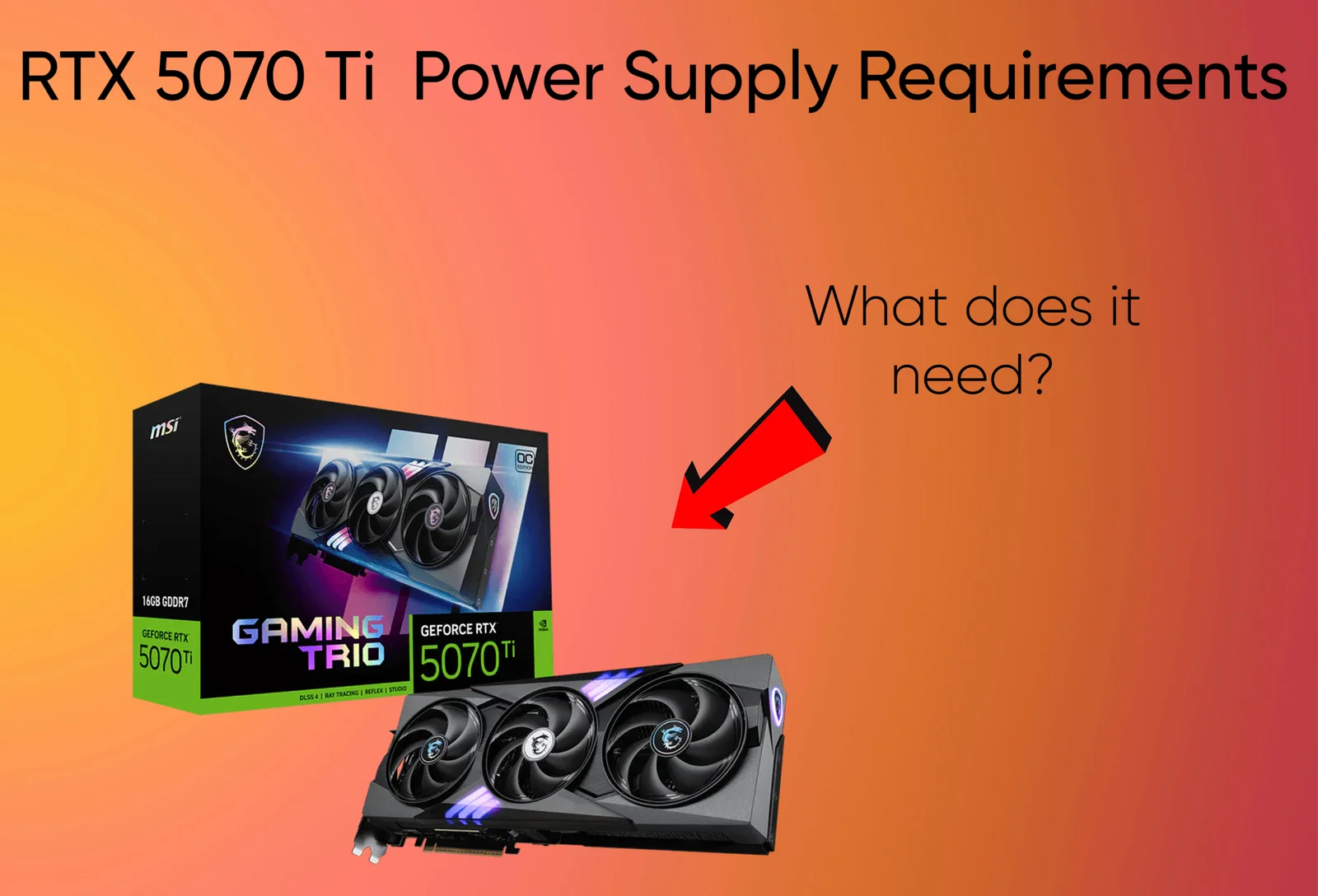
The RTX 5070 Ti draws up to 300W, but the graphics card isn’t the only component your power supply has to handle. Your CPU and the rest of your system matter too. Here’s what you need to know about RTX 5070 Ti power supply requirements and power consumption.
Also read: Is the RTX 5070 Ti enough for 4k Gaming?
RTX 5070 Ti Power Supply Requirements
NVIDIA recommends a 750W PSU for the RTX 5070 Ti. With the card drawing up to 300W, that might sound like a lot of power left over, but your CPU and the rest of the PC need their share too.
For most gaming builds, 750W is what I’d look at first. You might want 850W if you’re pairing the card with a high-end CPU that pulls a lot of power, but you don’t need to spend extra on a massive PSU just because you’re buying an expensive graphics card. A good 750W unit can do the job perfectly well in the right build.
The RTX 5070 Ti uses a 16-pin power connection. NVIDIA’s reference setup supports either two PCIe 8-pin cables through the included adapter or a compatible PCIe Gen 5 cable rated for at least 300W. A PSU with a suitable native cable keeps things simpler, but you don’t need to replace a perfectly good unit just to get the newest connector.
Why CPU Choice and the Rest of the Build Matter
NVIDIA’s 750W recommendation is based on a system running the Ryzen 9 9950X, a 170W TDP chip. So, you don’t automatically need a bigger PSU just because you’re using a Ryzen 9. The CPU’s actual power draw matters more than its name or price.
A 650W PSU is a different story. The Ryzen 5 9600X, for example, a 65W TDP chip, making it a reasonable candidate for a lower-power build. A quality 650W unit can work in some such systems, but it’s below NVIDIA’s recommendation and leaves less room for brief GPU power spikes. I’d only do this with a quality unit from a reputable brand. If you’re buying a new PSU specifically for the RTX 5070 Ti, I’d stick with 750W.
Here’s how I’d size the PSU for different builds:
| CPU or build | Suggested PSU |
|---|---|
| Ryzen 5 9600X or similar efficient CPU, running at stock settings | 650W can work, but 750W is preferred |
| Ryzen 7 7800X3D / 9800X3D and most gaming CPUs | 750W |
| Intel Core Ultra 9 285K under heavy CPU loads | 850W |
| Overclocking or a build with substantially higher power demands | 850W–1000W, depending on the components |
The Core Ultra 9 285K, for example, has a maximum turbo power rating of 250W. That’s a reason to consider 850W, particularly if you’re running CPU-heavy workloads alongside gaming. Intel’s maximum turbo power and AMD’s default TDP are different measurements, so they shouldn’t be compared directly.
Extra fans or another SSD usually won’t change your choice of PSU. Overclocking, raising CPU power limits or planning a future GPU upgrade are more likely to push you toward a higher wattage.
RTX 5070 Ti Power Consumption
Total Graphics Power
The RTX 5070 Ti has a rated Total Graphics Power (TGP) of 300W. It won’t draw that much in every game, though. Actual power consumption depends on the workload, and factory-overclocked models may draw slightly more depending on their power limits.
Power Consumption While Gaming
In demanding games, the RTX 5070 Ti typically draws around 250W to 280W. The Verge measured an average of 271W across nine games at 4K, with power draw reaching 300W in its Metro Exodus Extreme test. Notebookcheck also found that gaming consumption generally stayed between 250W and 280W.
Lighter and less demanding games can use considerably less power, particularly at 1080p or with a frame-rate cap. For PSU planning, however, it’s safer to account for the full 300W rather than rely on average gaming consumption.
Why Power Draw Varies Between Games and Workloads
A demanding 4K game with ray tracing can push the RTX 5070 Ti close to its power limit. A competitive game at 1080p may use much less, especially if the CPU becomes the bottleneck or the frame rate is capped.
DLSS also affect power consumption. Upscaling reduces the resolution the GPU renders internally, potentially lowering its workload. But if you use the extra performance to push higher frame rates, power draw can rise again. Frame Generation changes the workload, too, so it doesn’t necessarily reduce power consumption.
Outside gaming, power draw largely depends on the task. A long 3D render can keep the GPU near full load for an extended period, while video editing varies depending on whether you’re working on a timeline, applying effects or exporting a project.
What Wattage PSU Do You Need for the RTX 5070 Ti?
Is a 650W PSU enough?
A 650W PSU can work with the RTX 5070 Ti, provided the rest of the build doesn’t draw too much power. You can very much use 650W for systems pairing the card with a Core i5 or Ryzen 5. Still, NVIDIA recommends 750W, and a 650W unit leaves less room for power spikes or future upgrades.
I’d consider 650W if you already own a good-quality PSU and are using an efficient CPU like the Ryzen 5 9600X. If you’re building a new PC from scratch, though, I’d spend the extra money on a 750W unit instead.
750W PSU
For most gaming builds, 750W is the wattage I’d choose. It’s NVIDIA’s recommended system power, and it works well with CPUs like the Ryzen 7 7800X3D and 9800X3D without needing an unnecessarily large power supply.
It also gives you more room for demanding games, background tasks and the occasional power spike. You can add a few SSDs and case fans without worrying about them pushing the system over the edge. Unless you’re pairing the card with a particularly power-hungry CPU, there’s little reason to go higher just for gaming.
850W PSU
An 850W PSU is worth considering if you’re pairing the RTX 5070 Ti with a CPU that can draw a lot of power. The Intel Core i9-14900K, for example, has a maximum turbo power rating of 253W. Under heavy combined CPU and GPU loads, that kind of system benefits from the extra headroom.
The same applies if you plan to overclock, raise CPU power limits or upgrade to a more demanding graphics card later. You don’t need 850W for every RTX 5070 Ti build, but it makes sense when the rest of the hardware justifies it.
Which Wattage Makes the Most Sense?
For a new build, I’d stick with 750W for most people. A quality 650W unit can work with an efficient CPU, but it’s a more limited option. Go for 850W if you’re building around a power-hungry processor or want more room for upgrades.
RTX 5070 Ti Power Connector Requirements
16-Pin Power Connector
The RTX 5070 Ti uses a 16-pin power connector, commonly referred to as 12V-2×6 or 12VHPWR, depending on the card and cable documentation. The newer 12V-2×6 design improves detection of a properly seated connector, but both standards are designed for high-power graphics cards. The RTX 5070 Ti itself has a rated power draw of 300W, so you don’t need a 600W cable just because the connector can support that much power.
Native Cable vs. Included Adapter
NVIDIA supports two ways to power the RTX 5070 Ti: use two PCIe 8-pin cables with the included adapter, or connect a compatible PCIe Gen 5 power cable rated for at least 300W. If your PSU comes with a suitable native 16-pin cable, that’s usually the simpler option.
An older PSU can still work with the included adapter, provided it has the required PCIe power connections. Use separate PCIe cables for the adapter inputs rather than relying on a single daisy-chained cable. Make sure the 16-pin plug is fully inserted, and leave enough room to route the cable without a sharp bend right next to the connector.
Checking Your Specific Graphics Card
The exact adapter and PSU recommendation can differ between RTX 5070 Ti models. For example, some Gigabyte cards include a three-8-pin-to-16-pin adapter, while NVIDIA’s reference specifications list a two-8-pin adapter option. That doesn’t automatically mean every custom model needs a bigger PSU, though; many still list 300W graphics power and recommend 750W for the system.
Check the specification page for your exact card before buying cables or a new PSU. Factory-overclocked models can have different power limits, and the manufacturer’s listed requirements are more useful than assuming every RTX 5070 Ti is identical.
Frequently Asked Questions
How many watts does the RTX 5070 Ti use?
The RTX 5070 Ti has a rated graphics power of 300W. During gaming, it often draws around 250W to 280W, although the exact figure depends on the game and settings. Your CPU and other components add to the total power consumption of the PC.
Is 750W enough for the RTX 5070 Ti?
Yes. A good-quality 750W PSU is enough for most RTX 5070 Ti gaming builds, including systems with CPUs like the Ryzen 7 7800X3D or 9800X3D. It’s also NVIDIA’s recommended system power, so you don’t need to jump to 850W unless your CPU or other components justify it.
Can I run an RTX 5070 Ti with a 650W PSU?
Yes, some builds can run it on 650W, particularly with an efficient CPU such as the Ryzen 5 9600X. However, that’s below NVIDIA’s recommendation and leaves less room for power spikes. I’d only use a 650W unit if it’s a good-quality model and the rest of the build has modest power demands.
Is an 850W PSU overkill for the RTX 5070 Ti?
For a typical gaming build, 850W is more than you need. It makes more sense with a power-hungry CPU, such as the Intel Core i9-14900K, or if you’re planning to overclock or upgrade other components later. There’s nothing wrong with buying 850W, but most people won’t see a gaming performance benefit from it over a suitable 750W PSU.
Does the RTX 5070 Ti use a 16-pin power connector?
Yes. The RTX 5070 Ti uses a 16-pin power connection. You can power it using a compatible PCIe Gen 5 cable rated for at least 300W or the included adapter with two PCIe 8-pin cables. A PSU with a compatible native cable makes cable management easier, but an older suitable PSU can still work with the adapter.
Also read
RTX 5060 Review: Is 8gb VRAM enough in 2026
RTX 5060 vs RTX 4060: Is it worth the upgrade?
RTX 4060 vs RX 7600: Which is the better buy in 2026?
Intel Arc B580 vs RTX 5060: Don’t buy until you read this
Is the RTX 5060 Ti good for 1440p gaming
RX 9060 XT Review: The Best GPU for 1080p Gaming Right Now?
Best GPUs for 1080p gaming in 2026
RX 9070 XT Review: Is it really future proof?
Best CPU for RTX 5060: What Processor Do You Need?
RTX 5060 Power Supply Requirements: What PSU do you need?
Best CPU for RTX 5070: What Processor Should You Get?
RTX 5070 Power Supply Requirements: What PSU Do You Need?
Is RTX 4060 it still worth buying in 2026?
RX 9070 review: Is it REALLY worth your money?
Best 1440p GPUs for Gaming in 2026
RTX 5070 review: The best 1440p GPU in 2026?
RX 7600 Review: Is it still worth buying in 2026
RTX 5060 vs RX 9060 XT: Which is the best 1080p GPU
RTX 4070 review: Is it worth buying in 2026?
Samsung 990 Pro SSD review 2026
Logitech Superlight G Pro X Review
RTX 5060 ti vs RX 9060 XT: Is NVIDIA worth paying $100 more?
RTX 5070 vs RTX 4070: Should you upgrade?
RTX 5070 ti vs RTX 5070: Worth the Extra Money?
RTX 4070 Ti SUPER vs RTX 5070: Which offers better value?
Best CPU for RTX 5060: What Processor Do You Need?
RTX 5060 Power Supply Requirements: What PSU do you need?
Best CPU for RTX 5070: What Processor Should You Get?
RTX 5070 Power Supply Requirements: What PSU Do You Need?
Is the RTX 5070 Ti enough for 4k Gaming?
As an Amazon Associate I earn from qualifying purchases


Leave a Reply